Quick reference
Before you begin
Open the website, then follow the path that matches you.
Visit modeloptimalcare.com in your browser and make sure you are logged in.
If you already have access
Reach your courses straight from your profile.
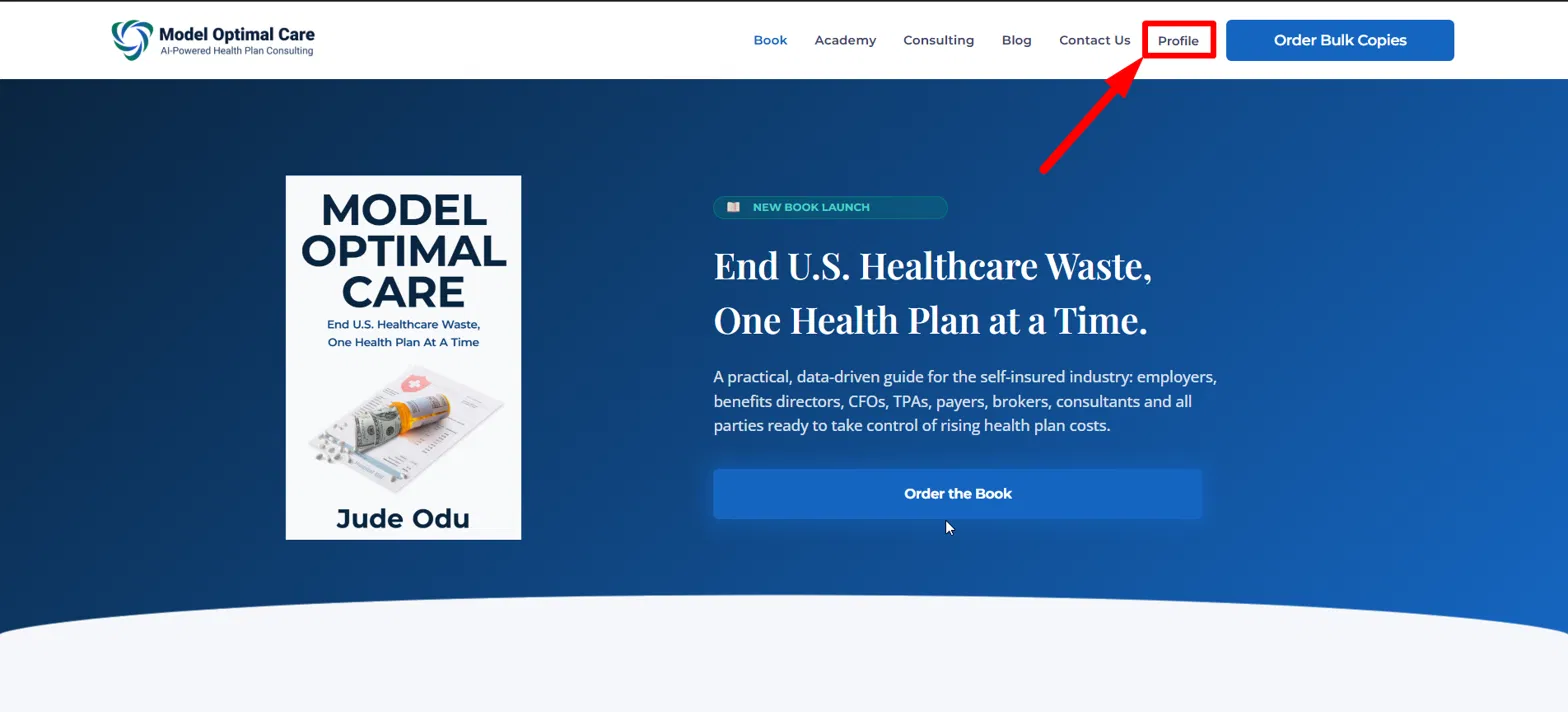
In the top menu, click Profile.
Under Your Courses, click the name of the course you want to open.
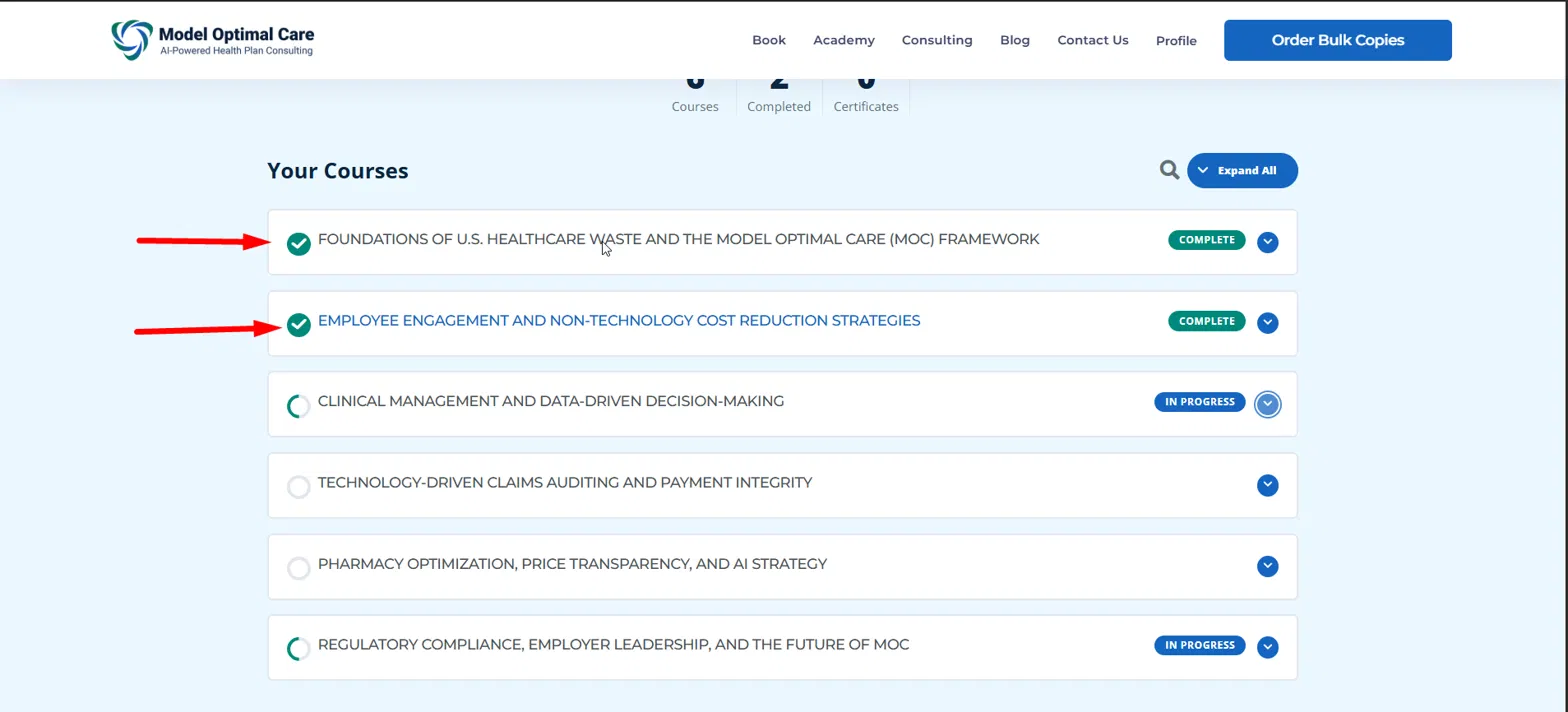
The course page opens with its full lesson list. You’re ready to begin — continue to Working through a course.
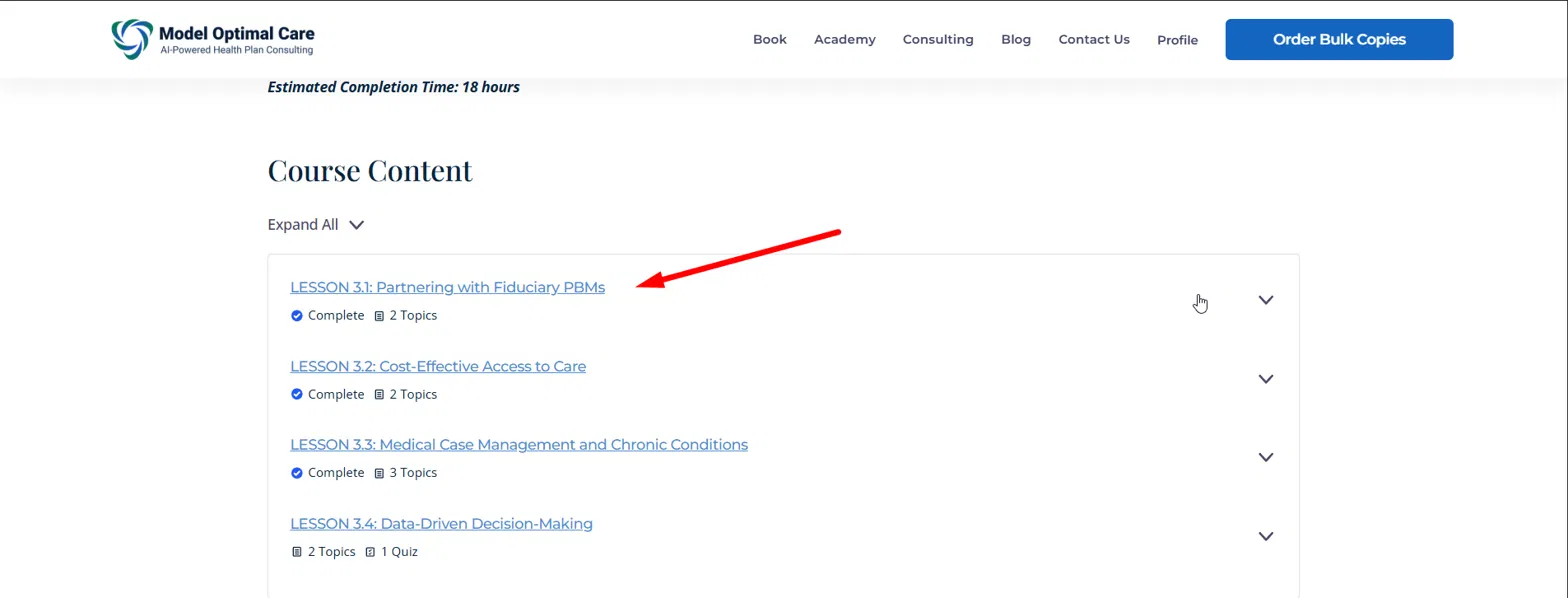
If you need to enroll
Purchase the program, then your courses unlock automatically.
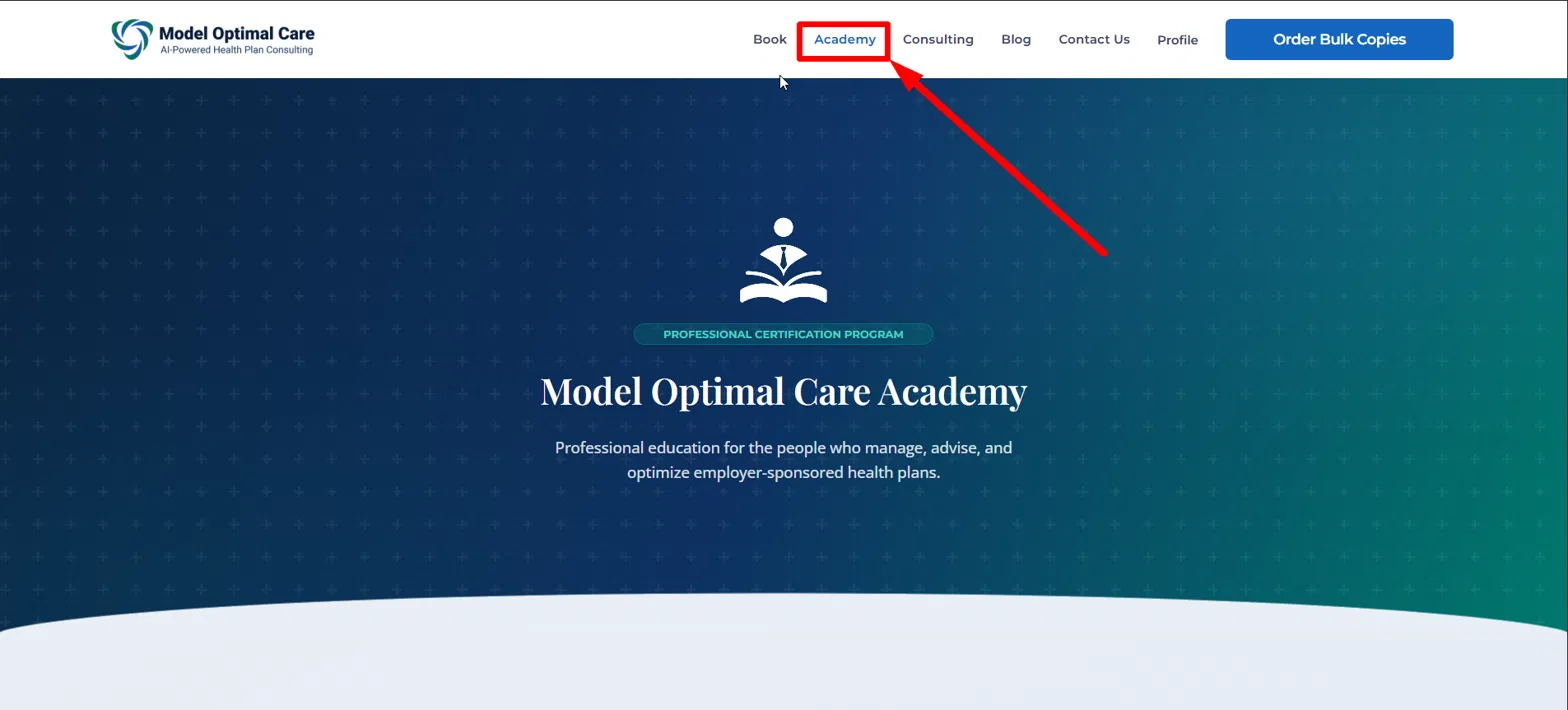
In the top menu, click Academy.
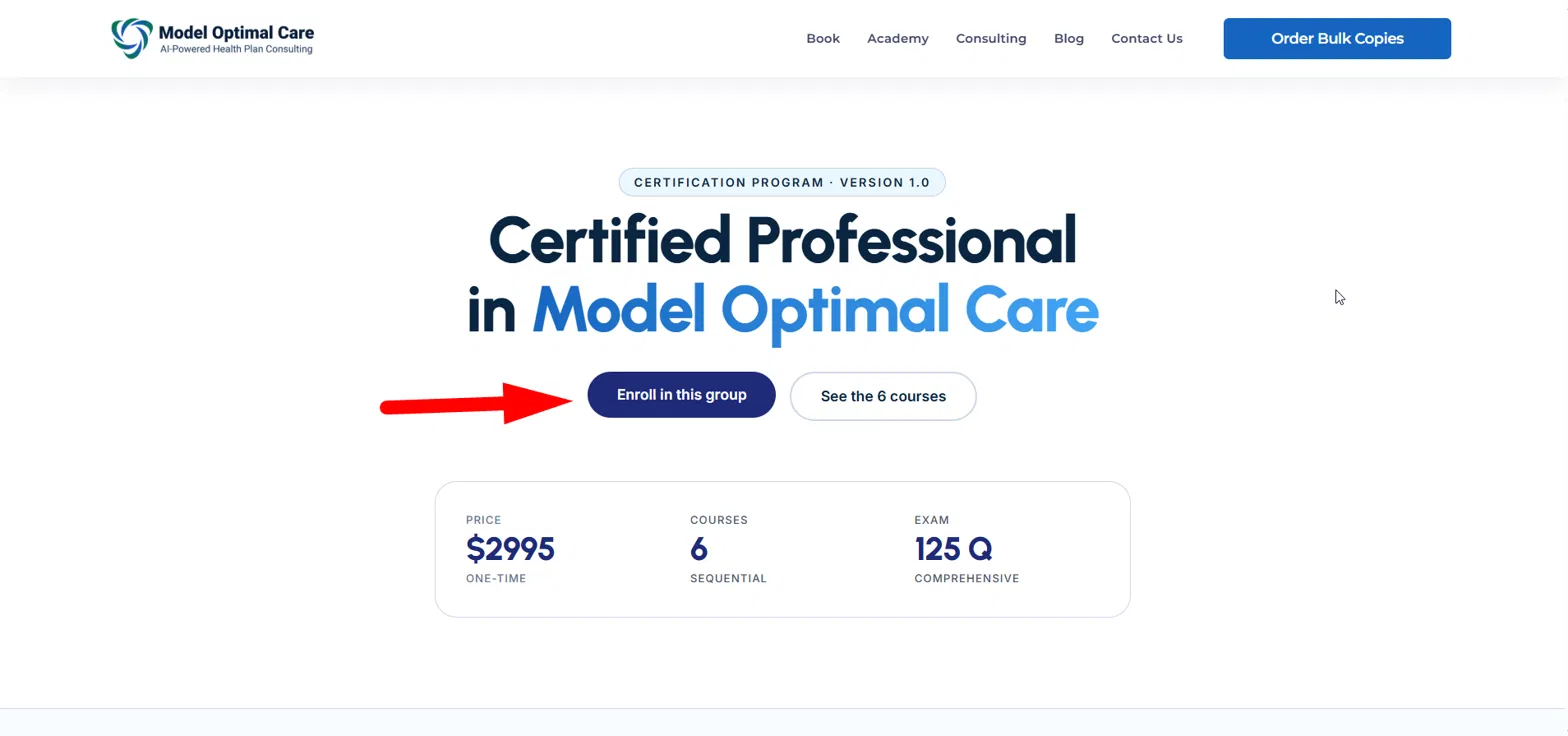
Scroll down to the certification program and open it. On the program page, click Enroll in this group.
You’ll be taken to the registration page. Enter the required details, complete payment, and finish enrollment.
Once enrolled, open Profile and you’ll see all 6 courses. Then continue to Working through a course.
The 6 courses are one certification program divided into 6 modules. You take them one after another, in order.
Working through a course
Read each topic, mark it complete, and move to the next.
From Profile, click a course name to open the course page, then click a lesson to open the lesson page.
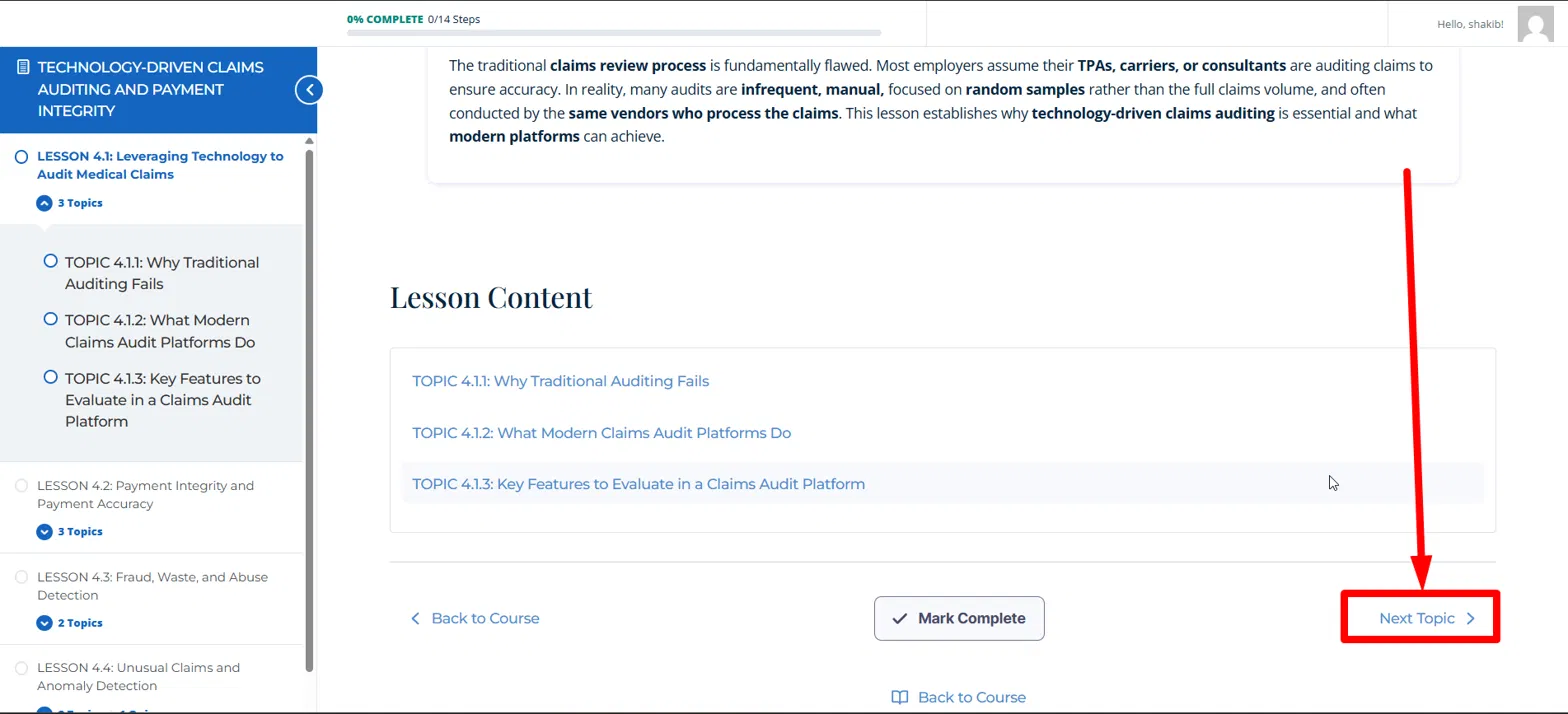
The lesson page lists all of that lesson’s topics. Work through them in order.
When you finish a topic, click Mark Complete, then use Next Topic to move forward.
Your progress only updates when you click Mark Complete. If you skip it, the step will still show as unfinished.
Quizzes & moving to the next course
Each course ends with a quiz that unlocks the next one.
After you finish all topics and lessons, you’ll arrive at the final quiz for that course.
Below the quiz you’ll see a Go to Next Course → button.
The button only takes you forward once you pass the quiz with at least 80%. If you score lower, it returns you to complete the quiz before you can continue.
Courses open in order — each course unlocks only after you pass the one before it.
Finishing & your certificate
Complete all six courses to earn your certification.
Work through the full program in sequence, passing each course quiz along the way.
After you finish the final course, your certificate becomes available to download as a PDF.
Congratulations — you’re now a Certified Professional in Model Optimal Care.